Step 1:
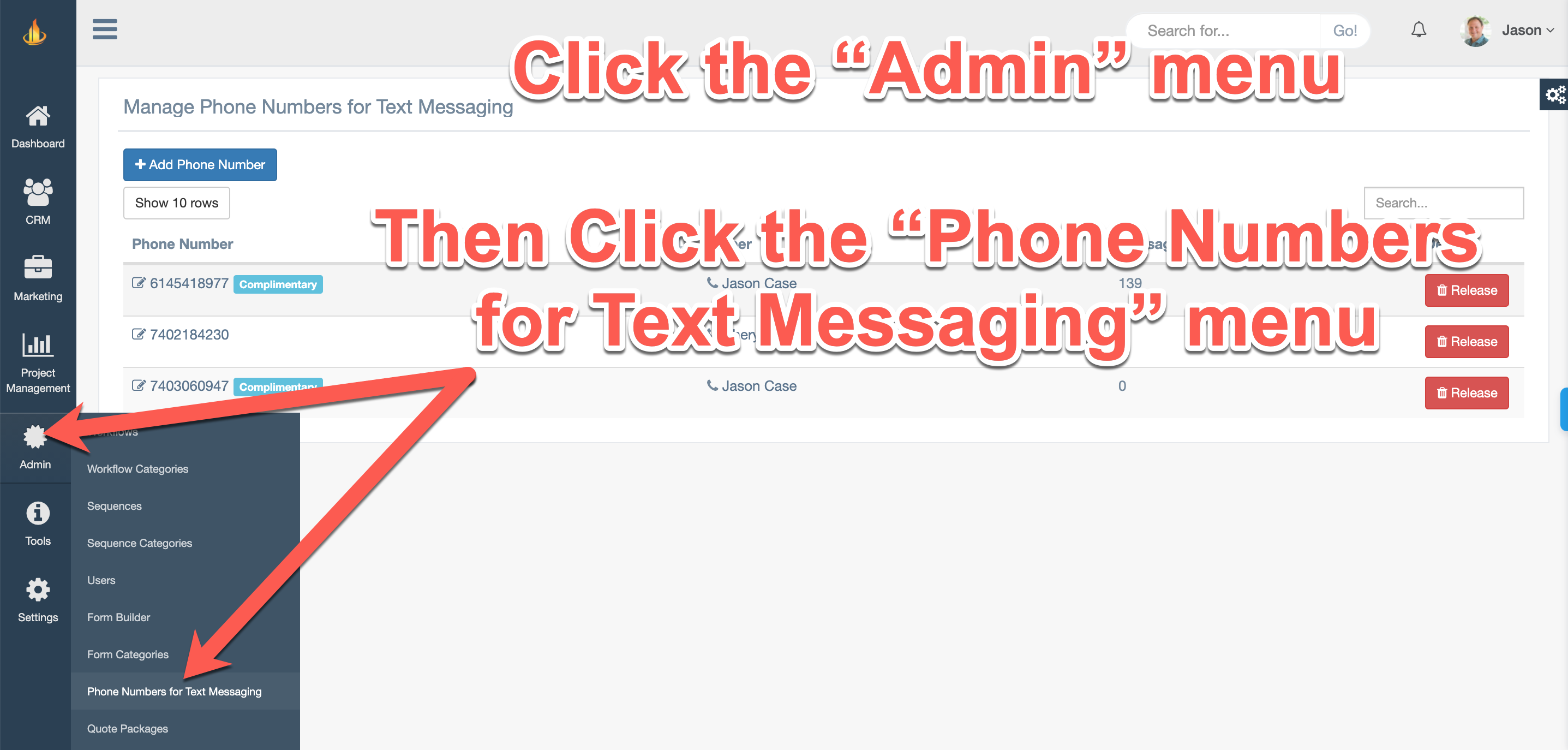
Go to Admin -> Phone Numbers for Text Messaging.
Step 2:
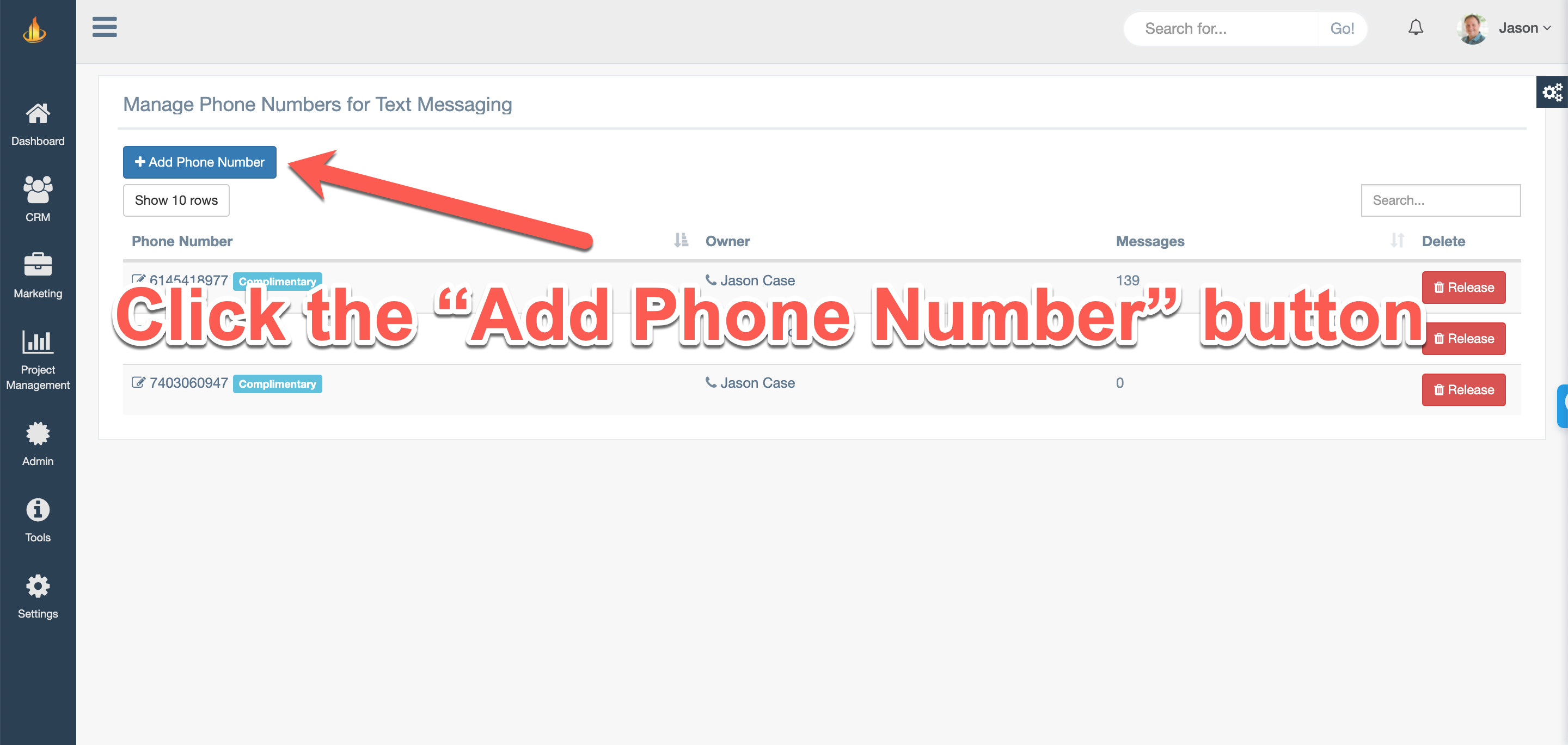
Click the Add Phone Number button.
Step 3:
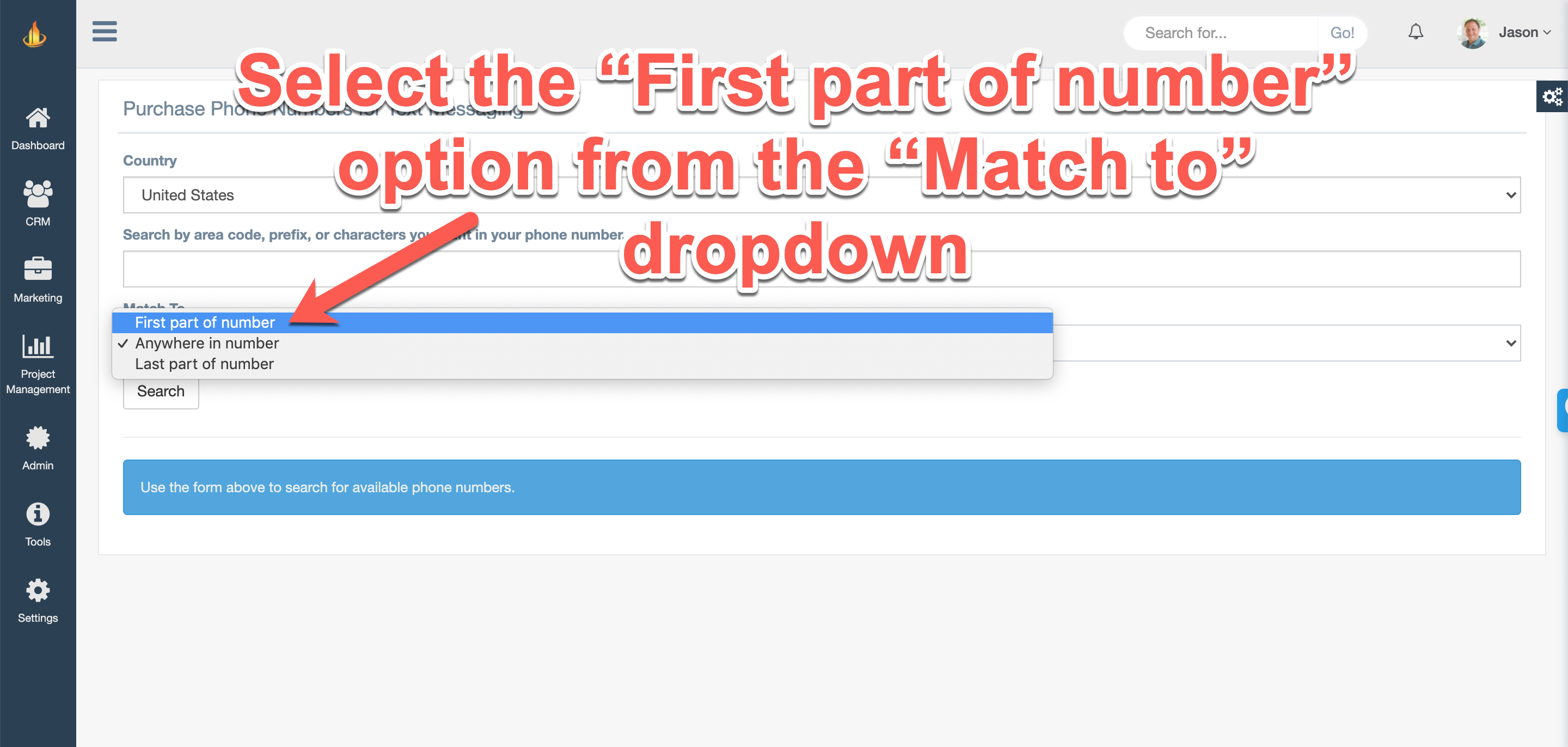
Choose the option from the Match To dropdown menu. Most people use the First part of number option.
Step 4:
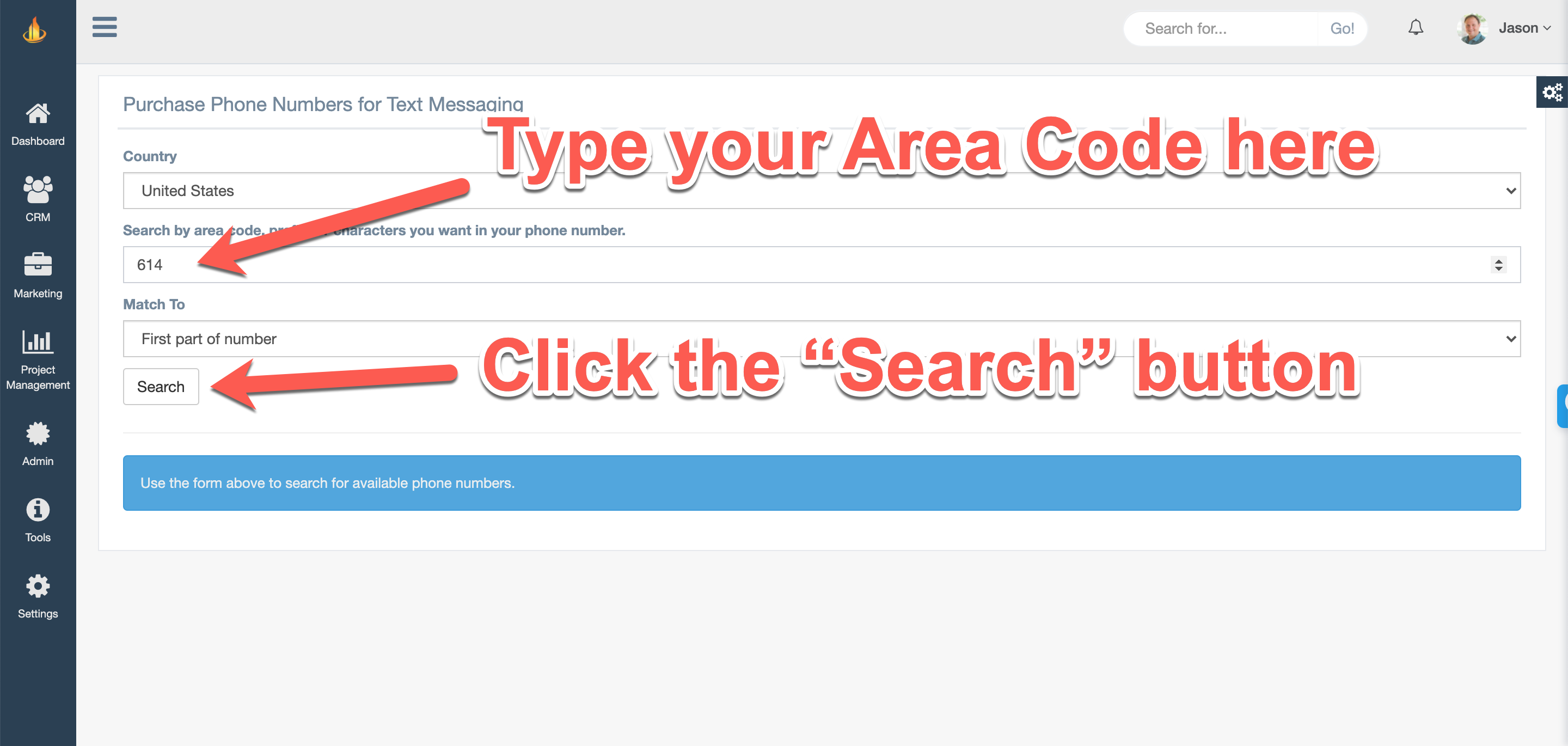
In the Search by area code, prefix, or characters you want in your phone number search box, type in the numbers you wan to filter the phone numbers down by. Then hit the Search button.
Step 4:
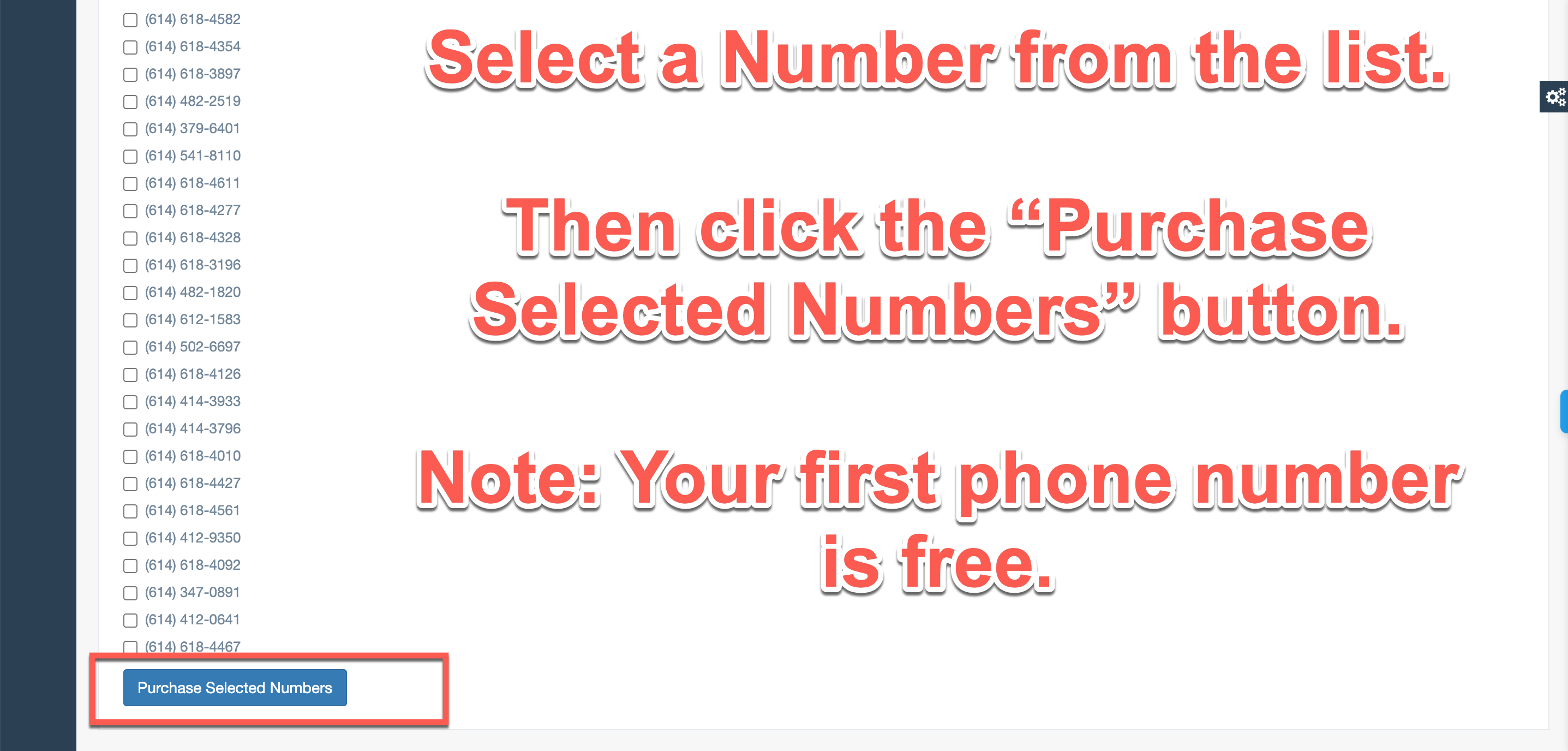
Select a phone number of your choice. Then click the Purchase Selected Numbers button. Your first phone number is free.
Step 5:
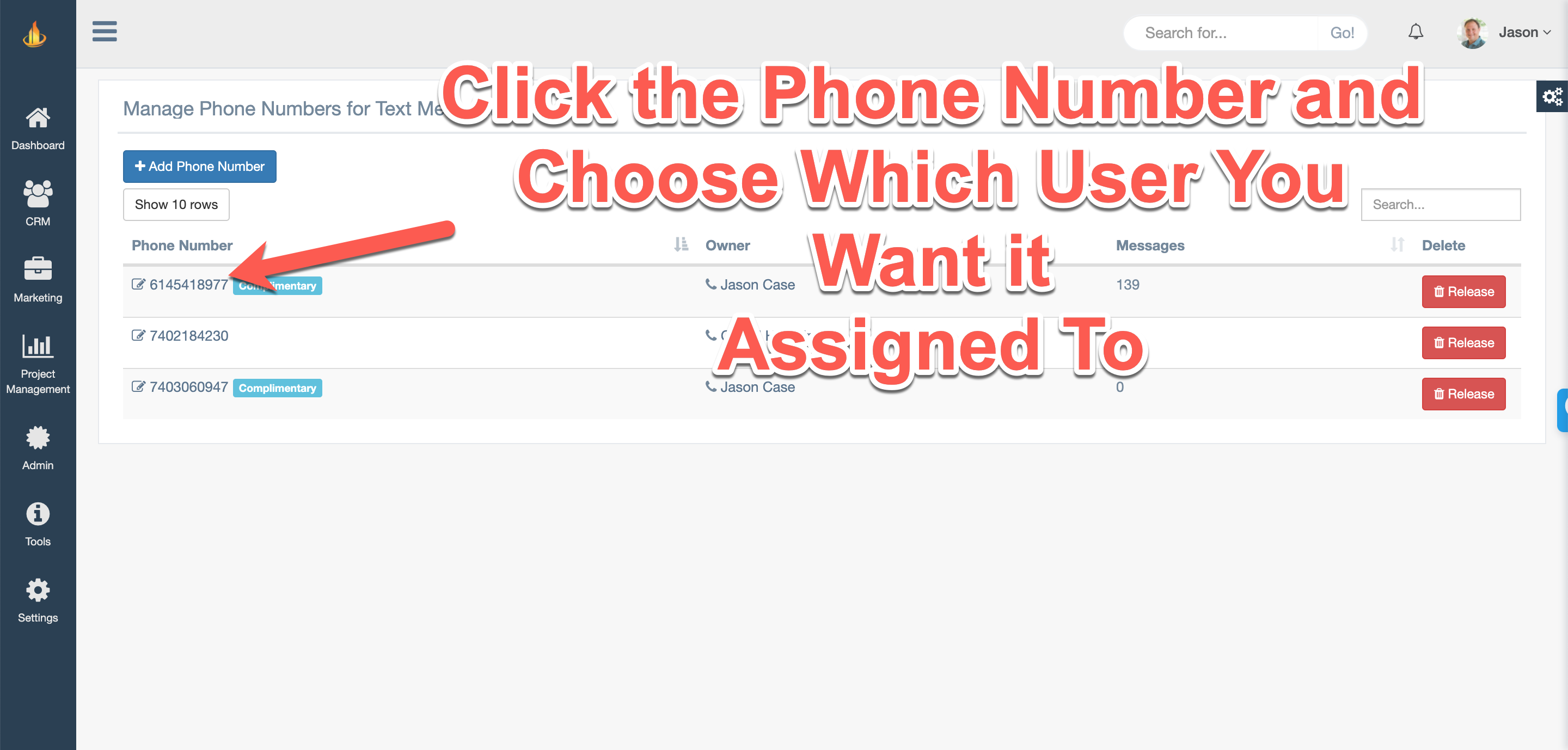
By default the phone number will be assigned to your user. If you want it assigned to a different user in your account, then click on the phone number to edit the assigned user.
Step 6:
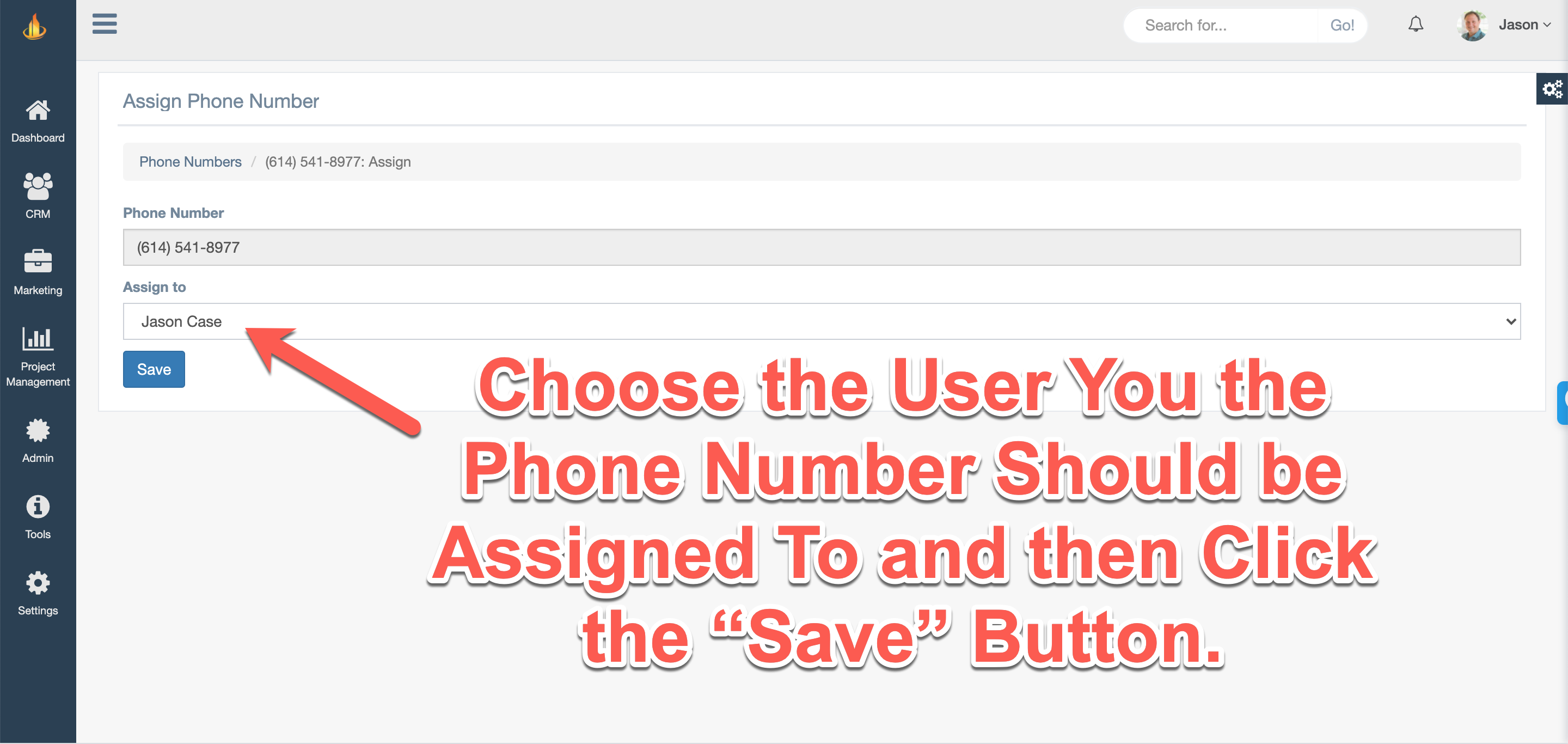
Select the User from the Assign to dropdown that you want the phone number assigned to. Then click the Save button.
You can now start sending text messages!
Comments
0 comments
Article is closed for comments.