In this video, you'll learn how to update your subscription. There are also text-based instructions with screenshots below the video.
Instructions
To update your billing information, log in with your current credentials.
Then click where you see your name in the upper-righthand corner and click on "Manage Subscription" in the dropdown menu.
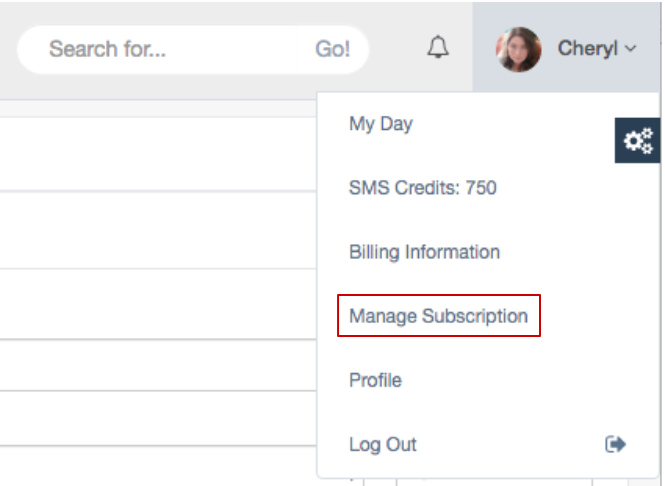
On the Manage Subscription page, you'll see the number of contacts and users you have on your account and how many gigabytes of story you have.
You can purchase more contacts in blocks and user accounts individually. You probably won't have to upgrade your storage, but if you do that you can do that here as well.
At the bottom of the page under "total," you'll see line items and on the last line the total per month subscription fee. When you have your subscription the way you want it, click the "Update Subscription" button to finish.
Comments
0 comments
Article is closed for comments.