In this video, you'll learn how to manage your SMS credits for text messaging. There are also text-based instructions with screenshots below the video.
Instructions
To manage your SMS credits, log in with your current credentials. Then click where you see your name in the upper righthand corner.
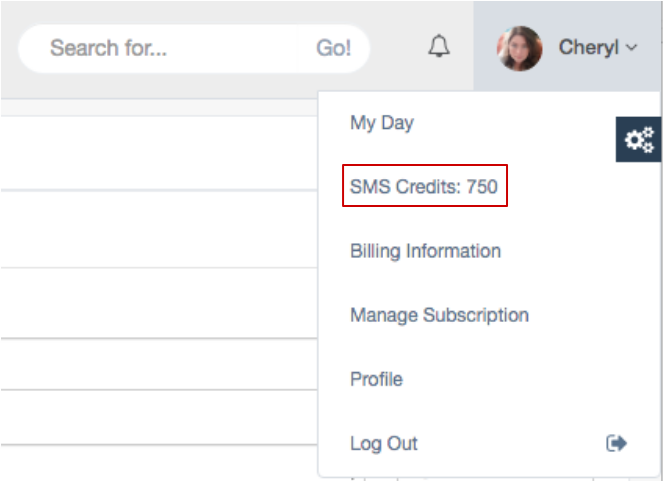
One the SMS page, you will see the number of credits you currently have and your purchase history.
You will have a default amount of free SMS credits as part of your base plan. Each text message to or from a customer takes one SMS credit.
If you run out of credits you can purchase more.
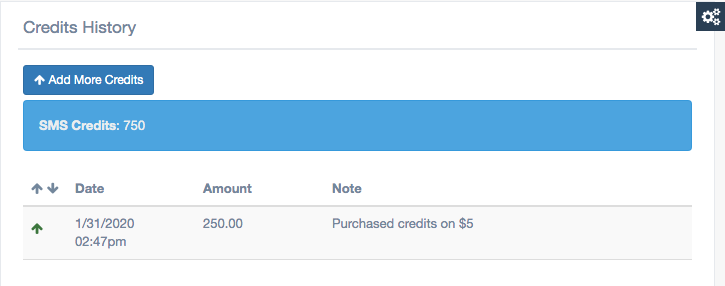
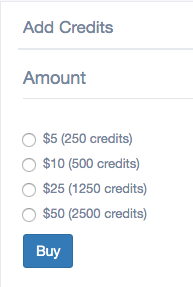
To purchase more SMS credits, click the "Add More Credits" button. Then select the number of credits you want to purchase and click the "Buy" button.
Once a new month rolls around, you will get your new allotment of free SMS credits. Purchased SMS credits rollover from month-to-month until they are used up. Free credits are always used first.
Comments
0 comments
Article is closed for comments.