How to Connect Your Calendly Account to Pulse
How to Use the Calendly -> Pulse Integration Once Connected
Update: If you already have your Calendly account connected, please follow the steps below to disconnect it and reconnect it using the new integration with Calendly.
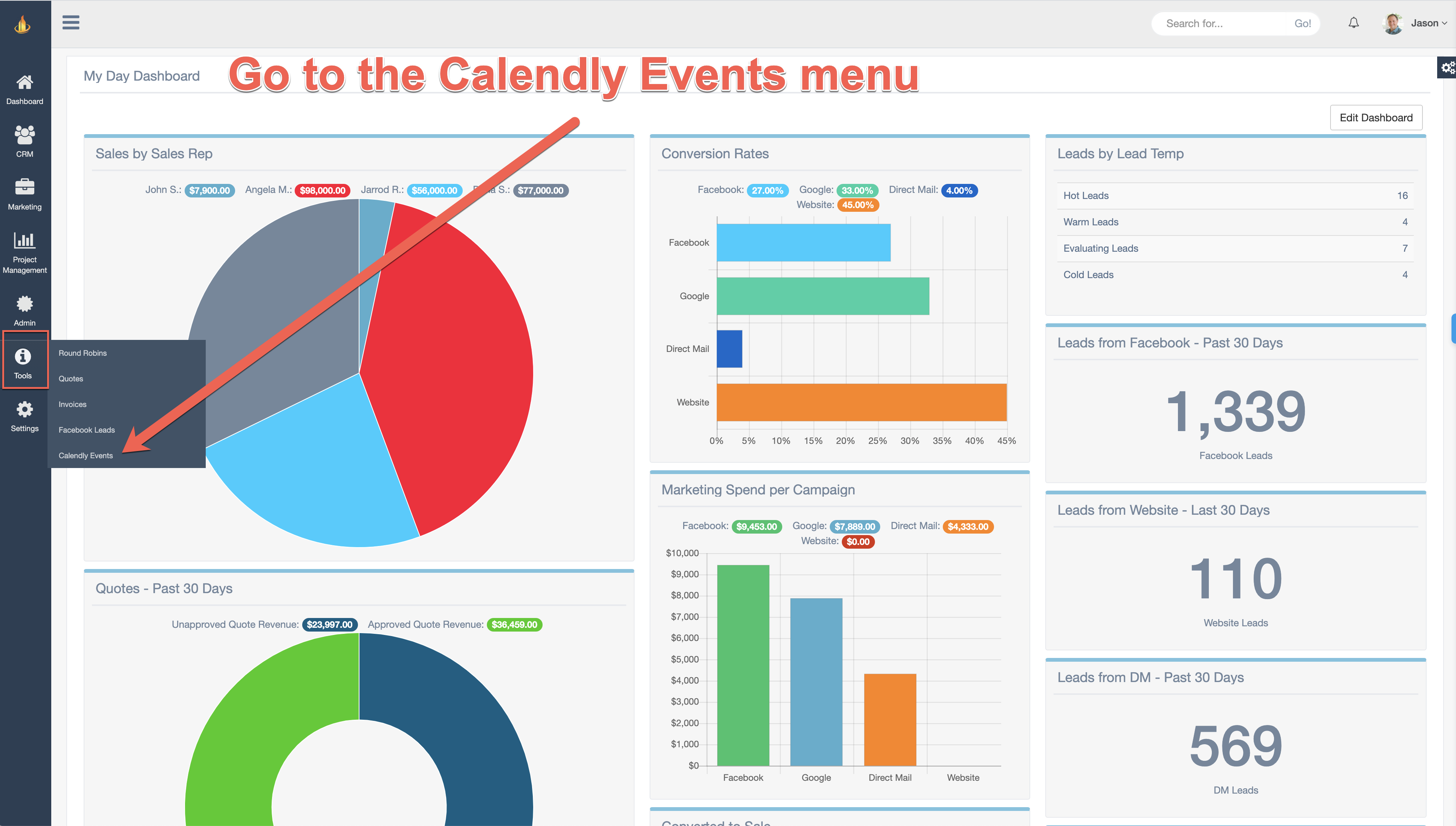
Step 1 - Navigate to the Calendly Events menu. Tools -> Calendly Events.
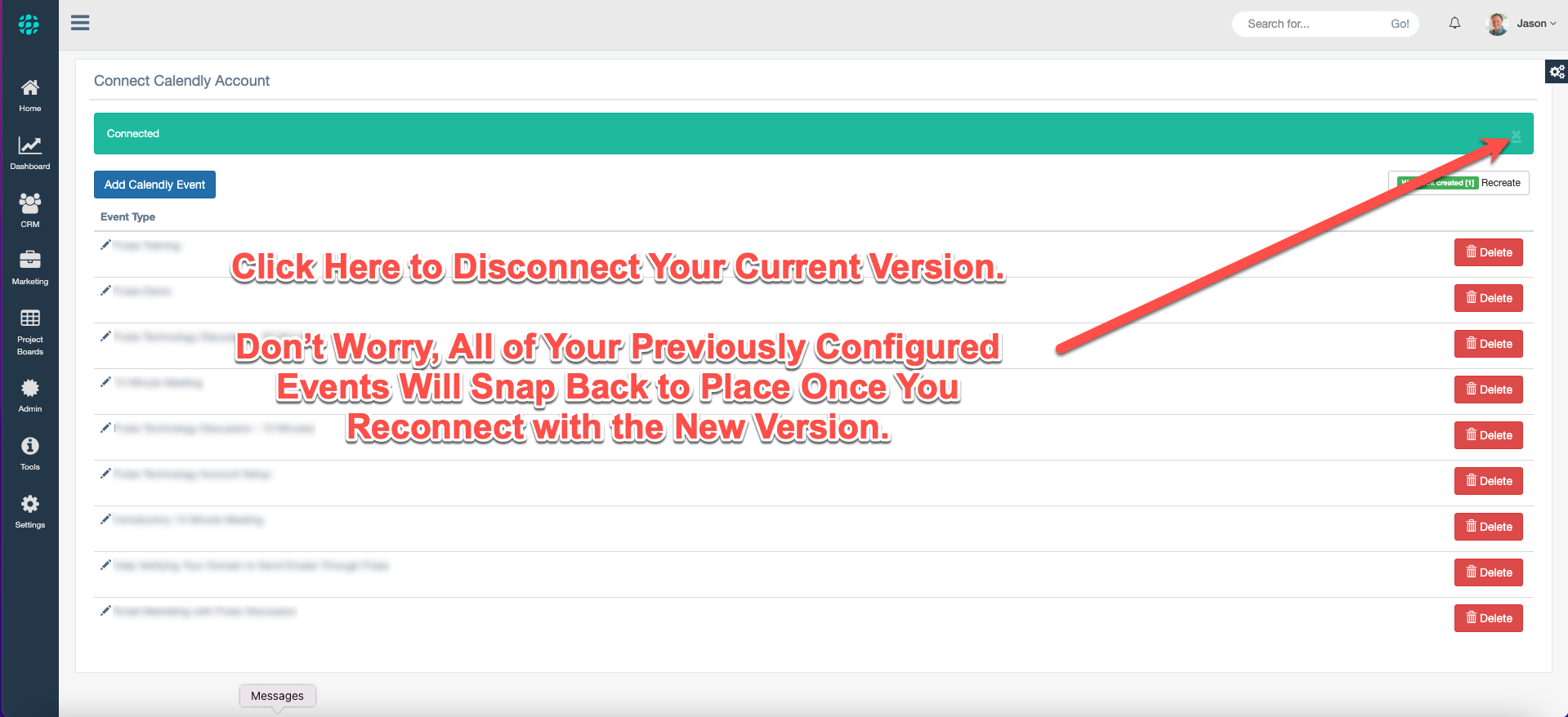
Step 2 - Disconnect Your Current Connection by Clicking the X as Shown Below.
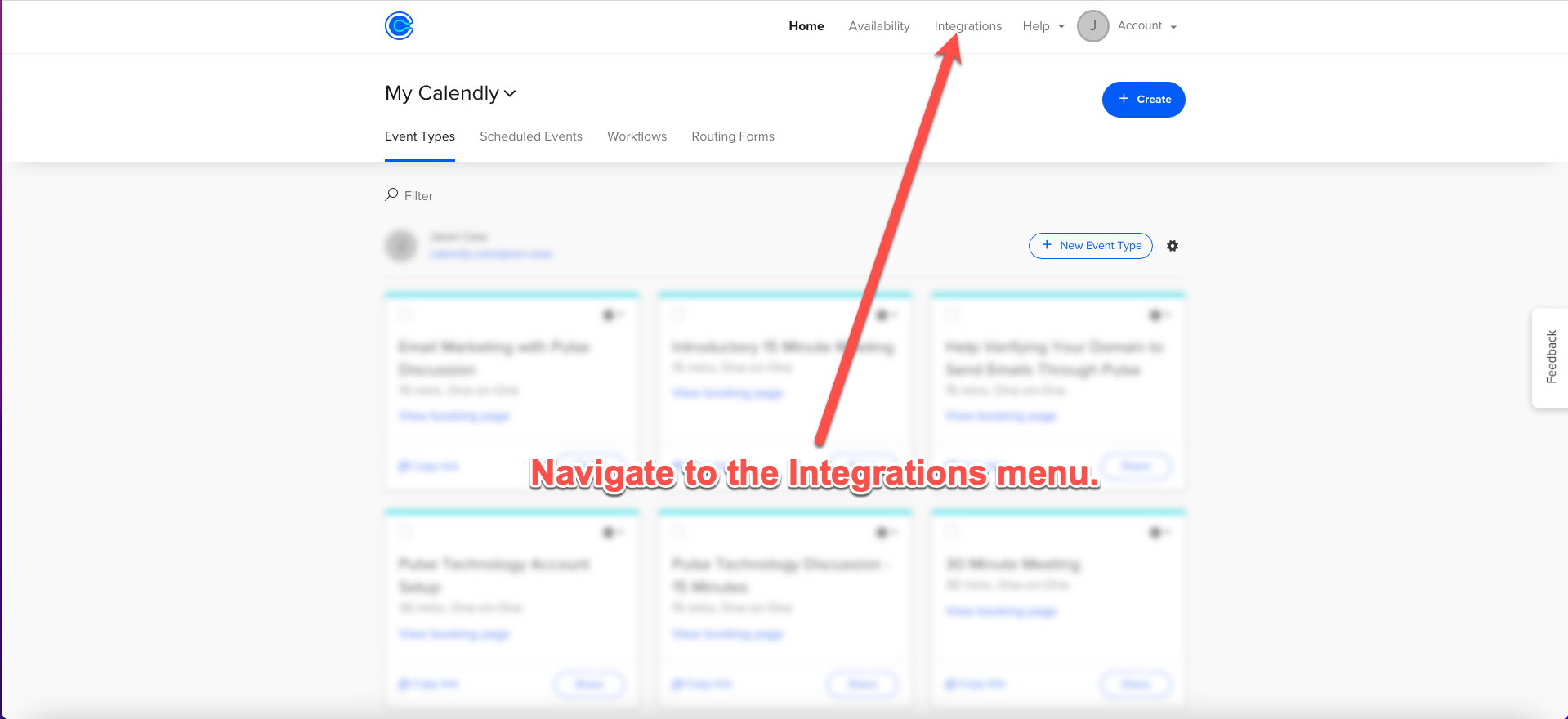
Step 3 - Login to Your Calendly Account and Click on the Integrations Menu.
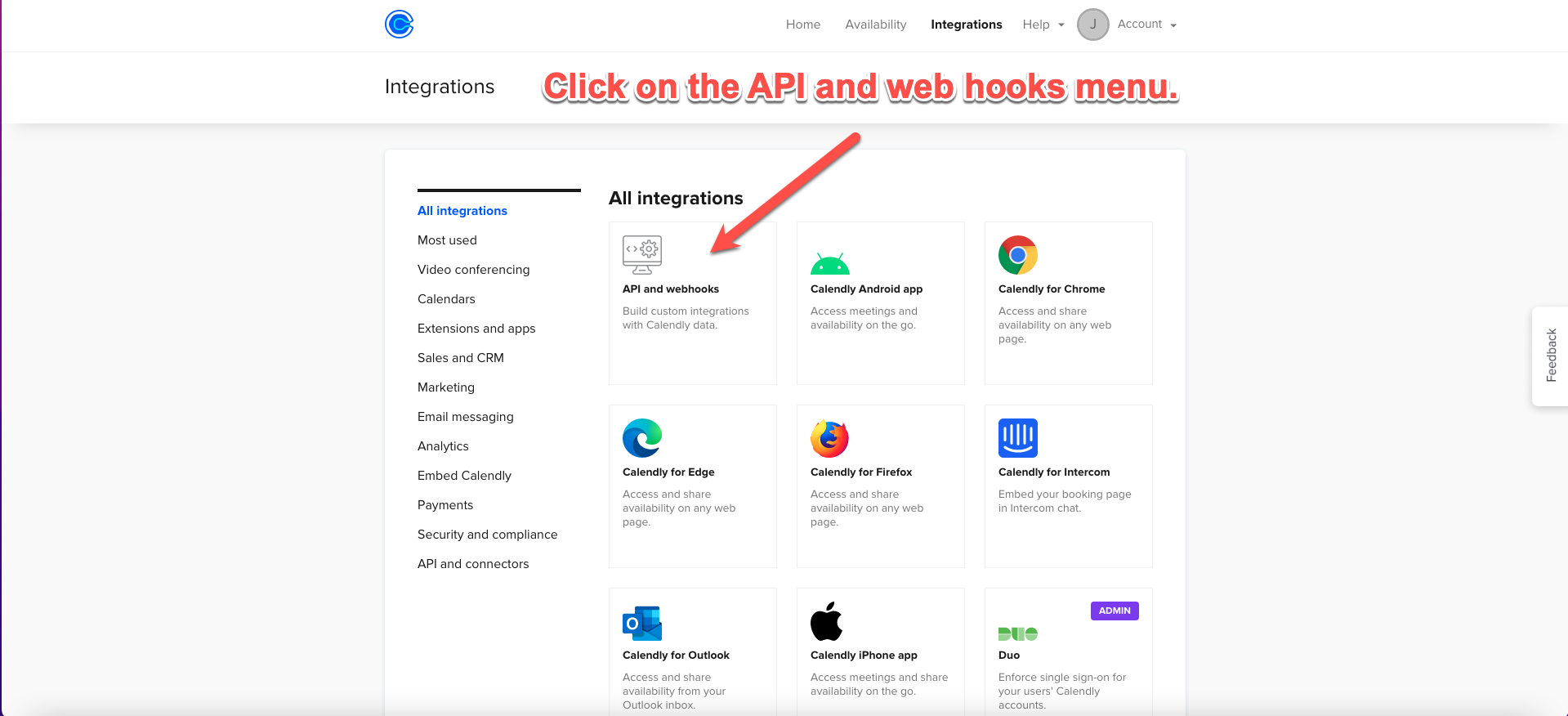
Step 4 - Click on the API and Webhooks Icon.
Step 5 - Click the "Get a Token Now" Link.
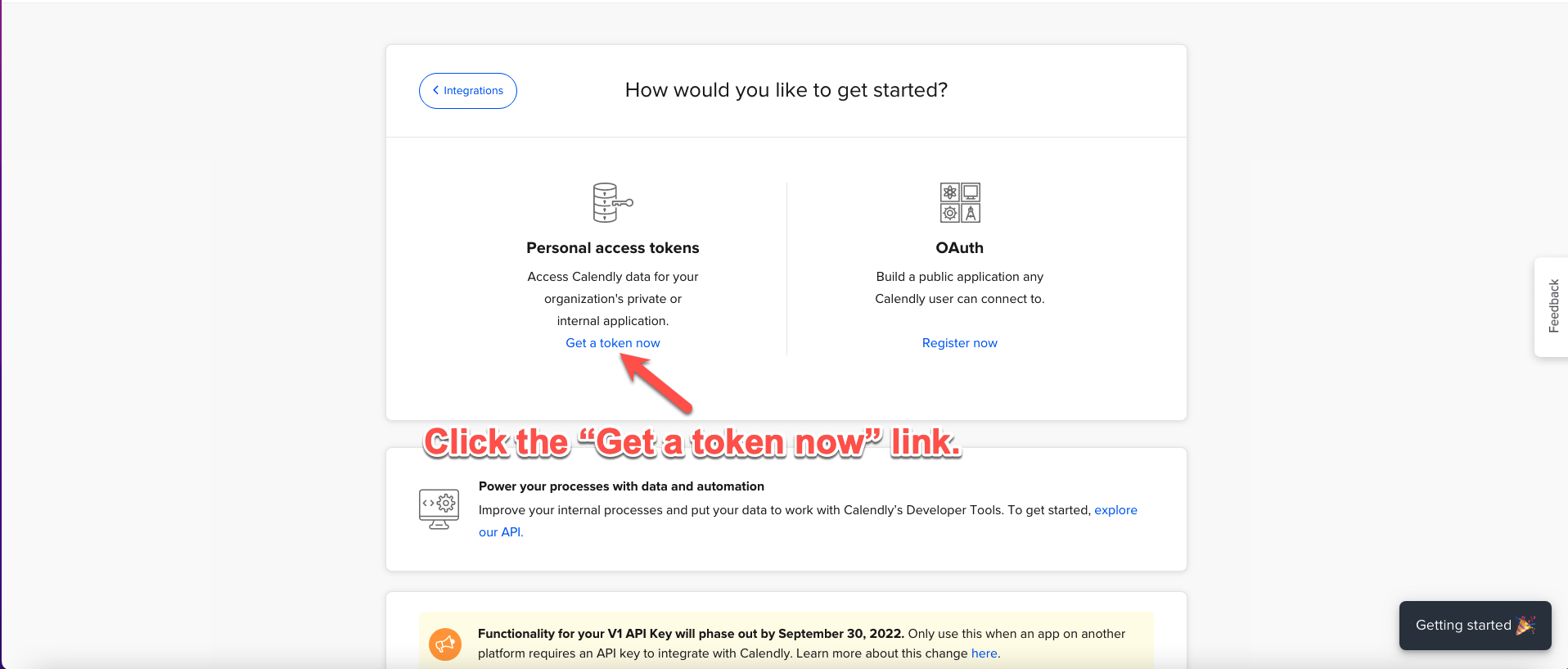
Step 6 - Click Continue
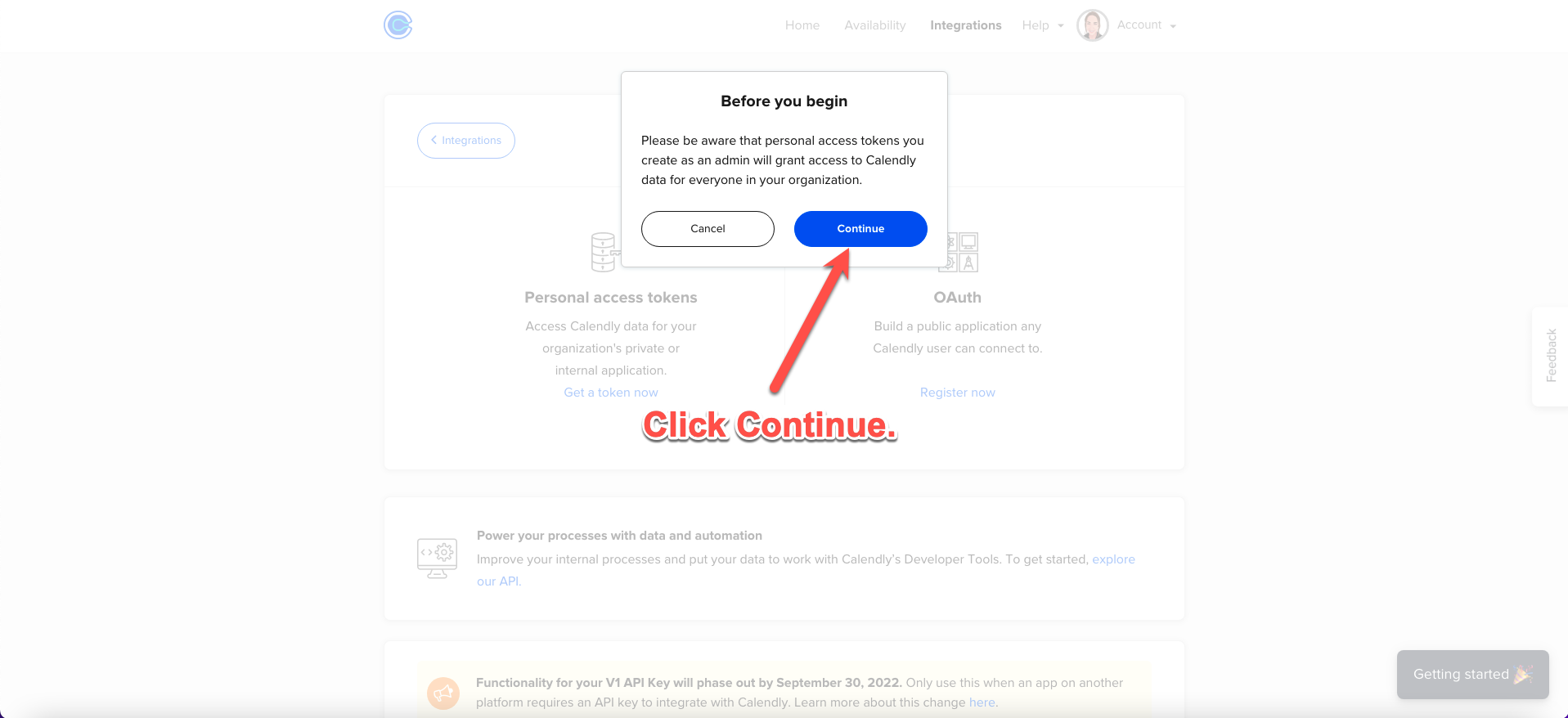
Step 7 - Give Your Token a Name. You Could Name It "Pulse".
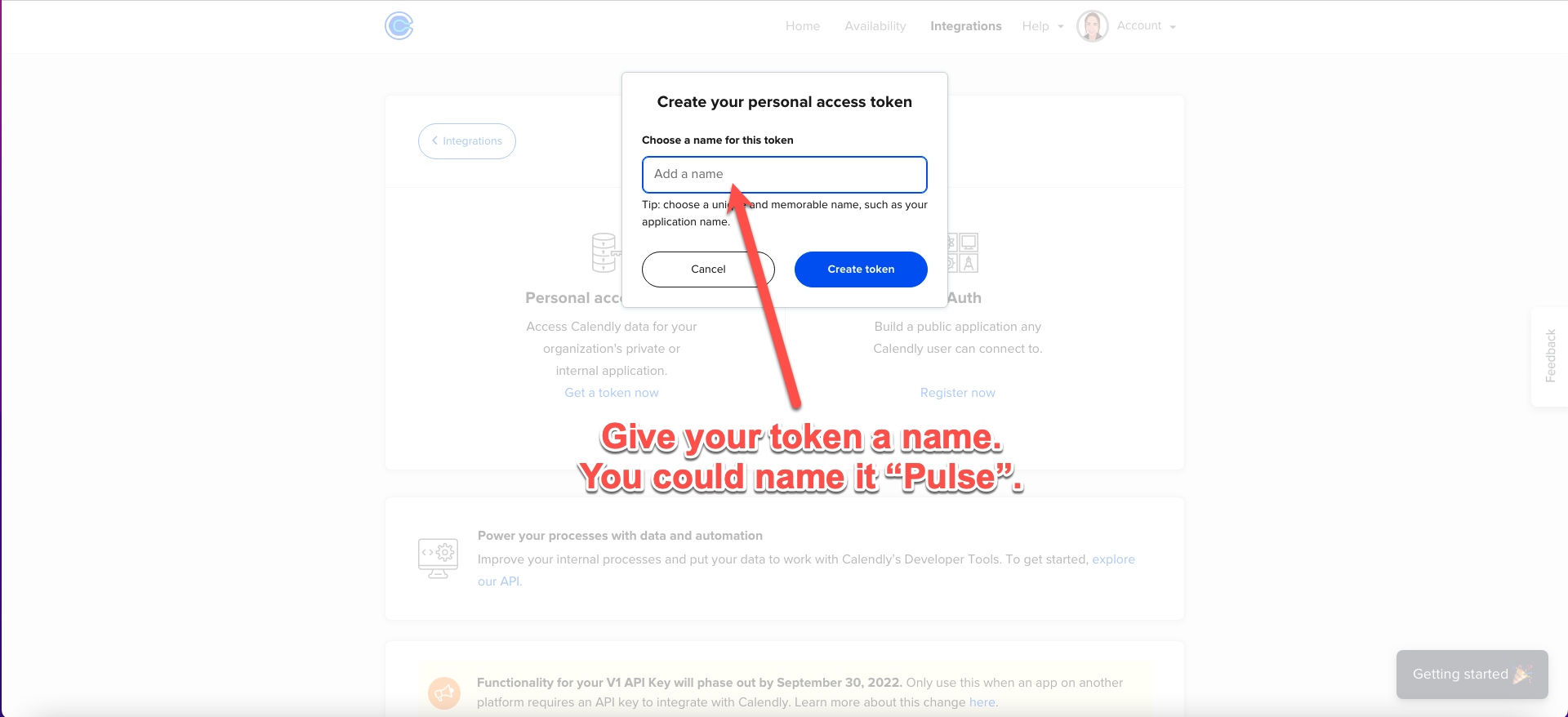
Step 8 - Copy Your Token
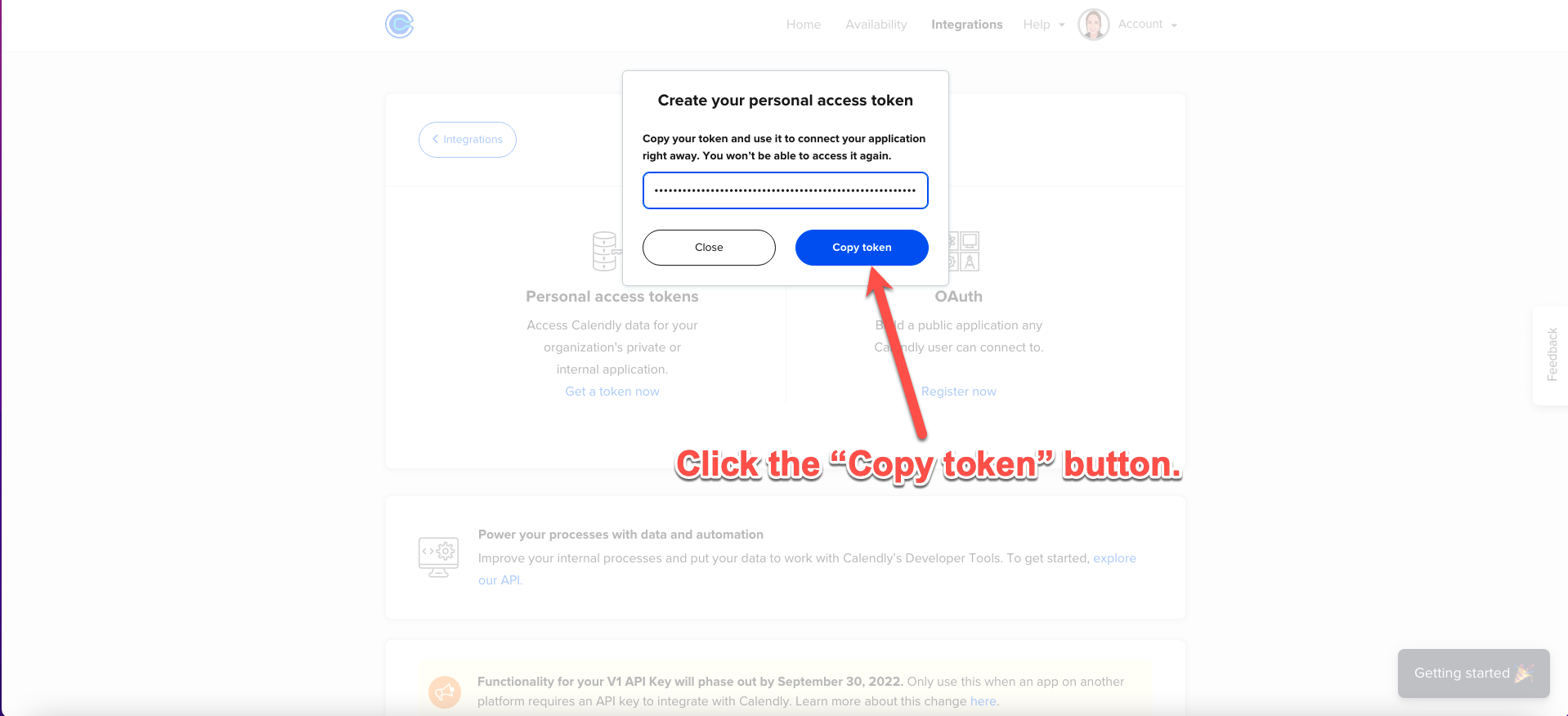
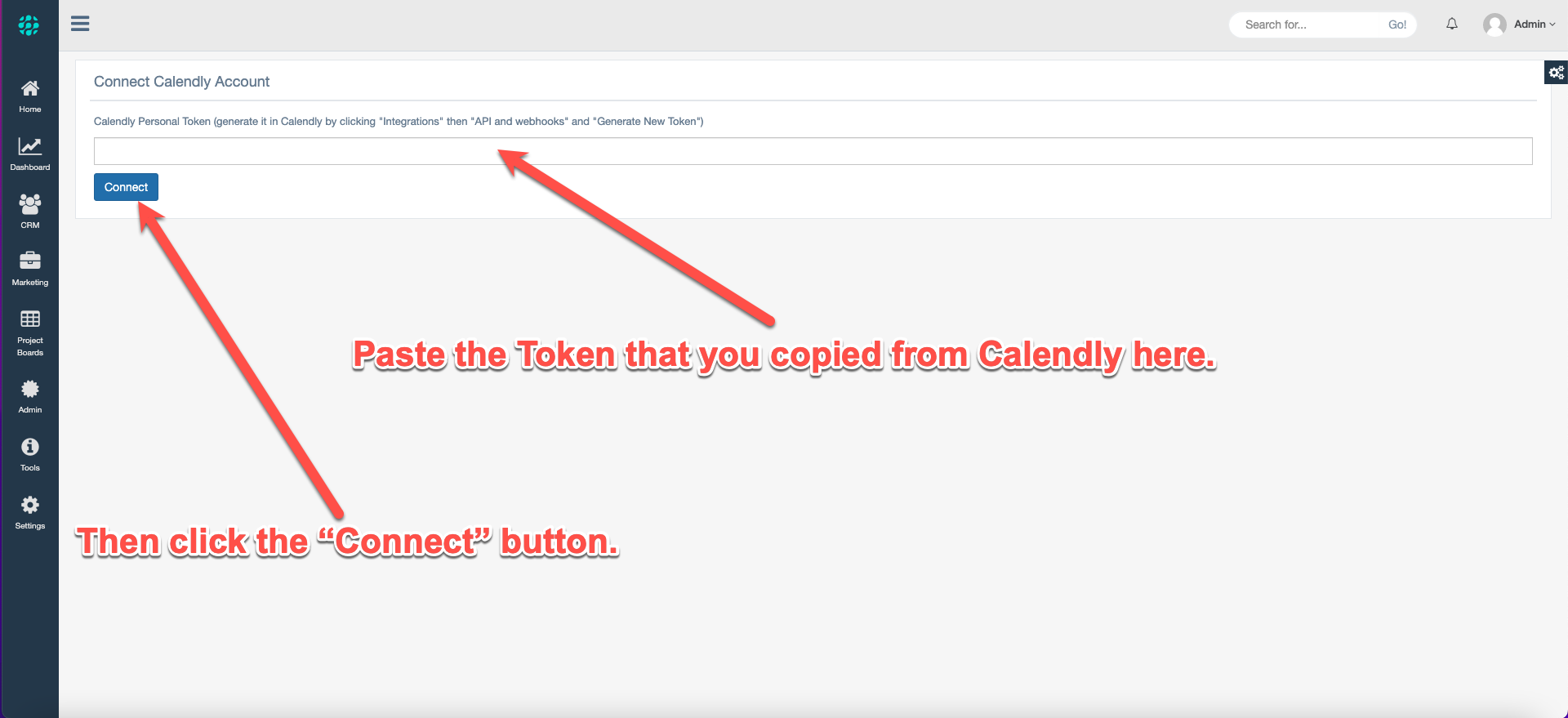
Step 9 - Paste the Token in Pulse As Shown Below and Then Click Connect.
This is the final step, and once you connect to Calendly with the updated token, all of your previously configured events will snap back into place.
Step 7. Watch the above video for all of the details on how you can get the most out of using the Calendly Events tool.
Comments
0 comments
Article is closed for comments.