- You need to be logged in as an Admin user to your account.
- Then navigate to the following URL: https://portal.thepulsespot.com/passport/clients
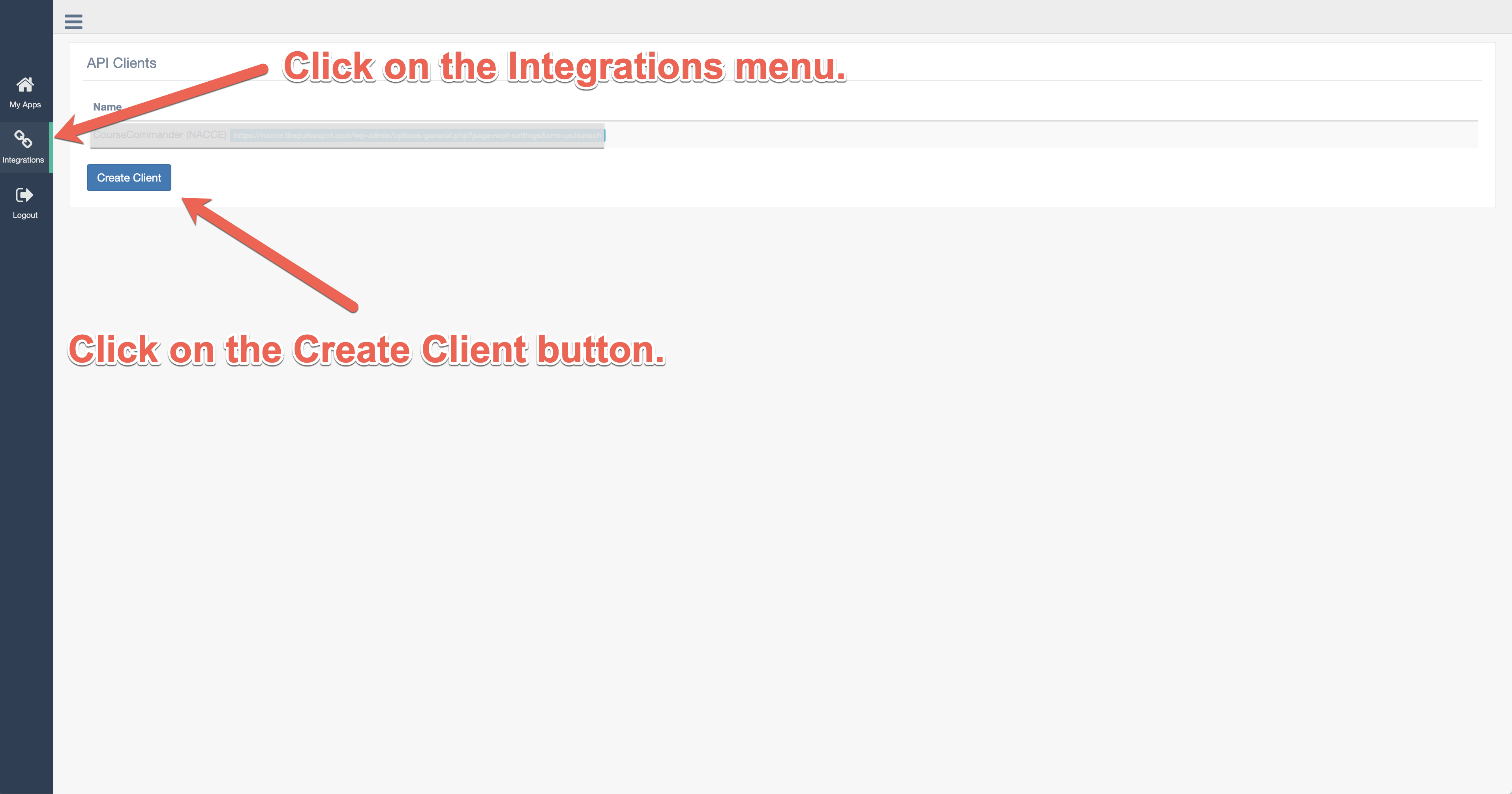
- Next, click the Create Client button
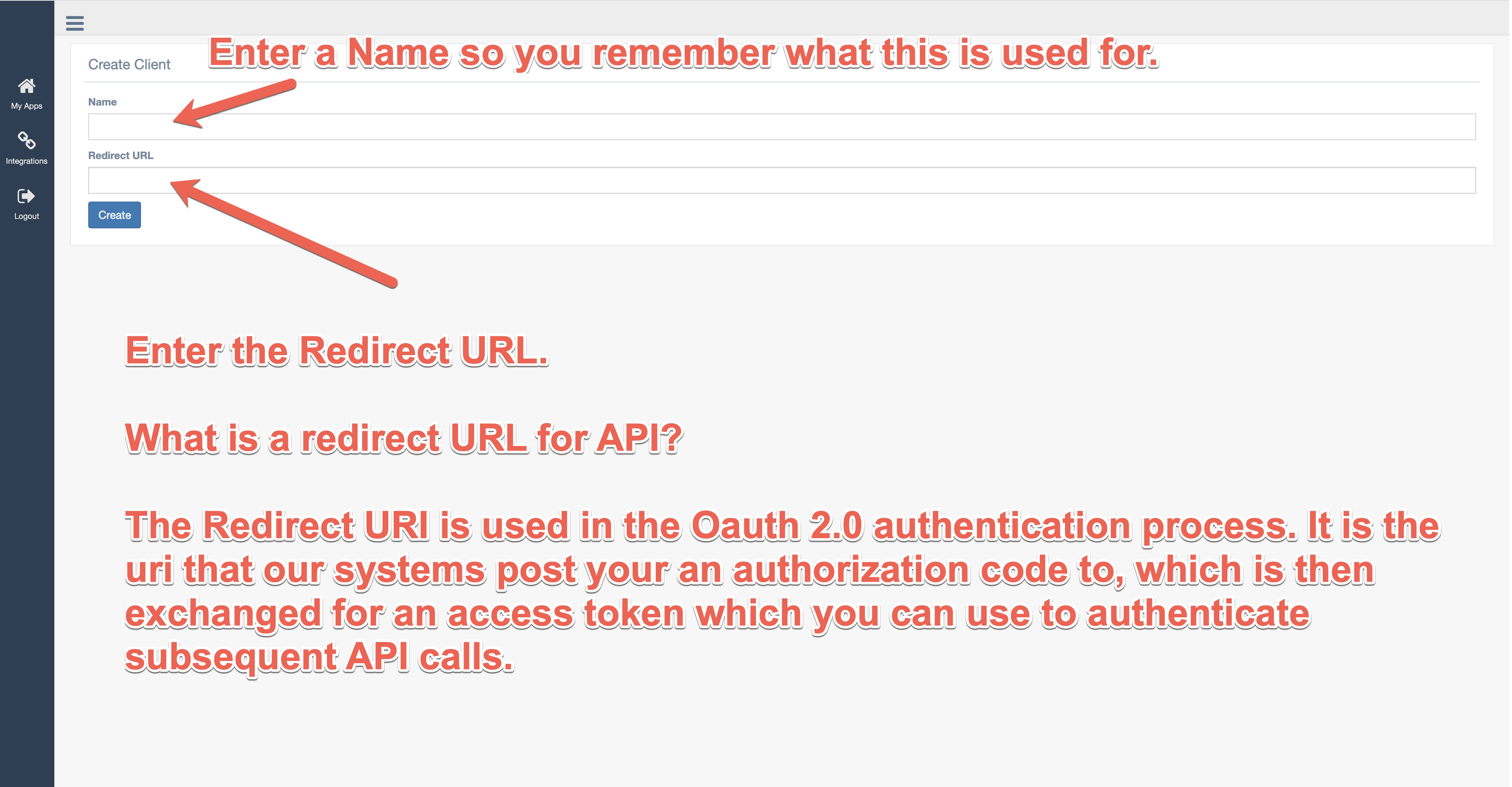
- Enter a Unique Name that you will remember and add the Redirect URL as shown below. Then click the Create button.
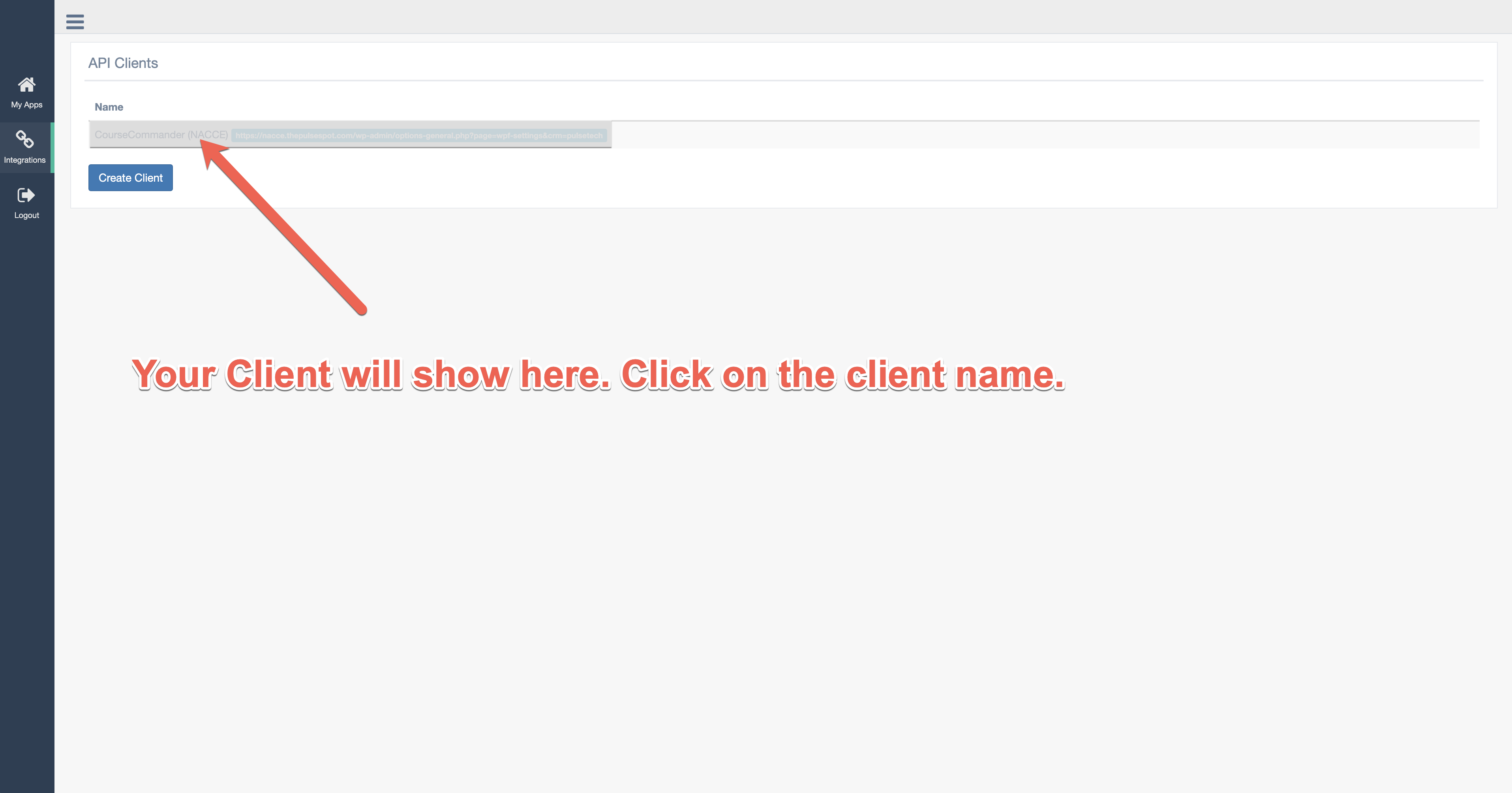
- Now click on the Client you just created.
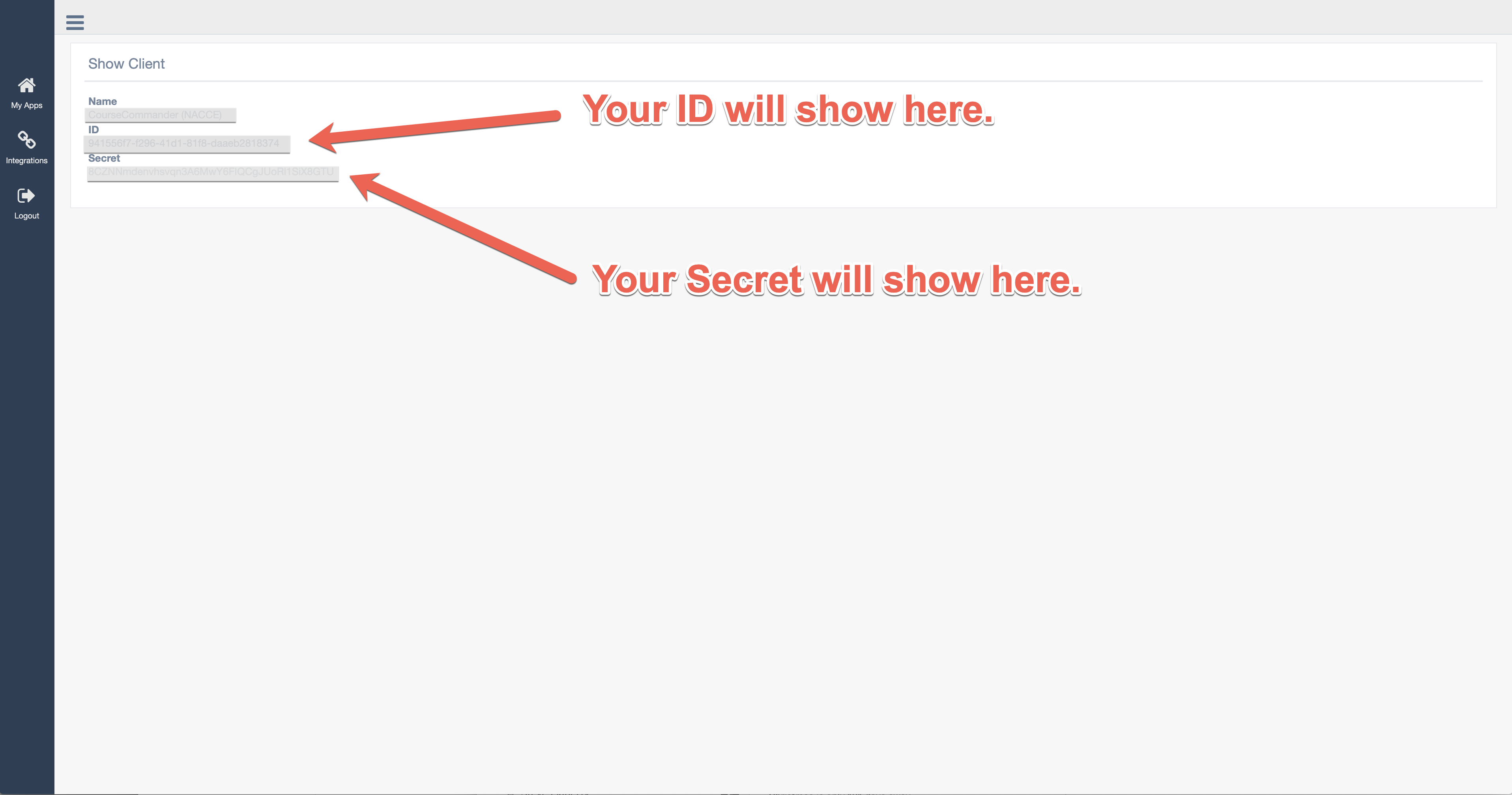
- This is where you will obtain your ID and Secret.
Comments
0 comments
Article is closed for comments.